When someone searches for a local service, they often choose from the businesses shown in Google Maps or the Local 3 Pack.
That means your Google Business Profile can be one of your strongest lead sources. Before people visit your website, they may check your reviews, photos, hours, services, location, and call button right from Google.
If your profile is incomplete, outdated, or weaker than nearby competitors, you may lose calls, visits, direction requests, and leads.
To rank higher on Google Maps in 2026, your business needs more than a claimed profile. Your Google Business Profile, reviews, categories, services, photos, posts, Q&A, citations, website page, and customer actions all need to work together.
This guide is for U.S. local businesses, service area businesses, storefronts, restaurants, salons, contractors, medical offices, agencies, and multi location brands that want more local visibility.
Quick Answer: How Do You Rank Higher on Google Maps?
To rank higher on Google Maps in 2026, optimize your Google Business Profile for relevance, distance, and prominence.
That means you should complete your profile, choose the right categories, add services and products, collect real reviews, respond to reviews, upload fresh photos, publish Google Posts, use Q&A, keep your NAP details consistent, build local citations, connect your profile to a strong local landing page, and track calls, clicks, direction requests, and leads.
There is no one trick that guarantees the Local 3 Pack. The goal is to prove that your business is relevant, trusted, active, and useful for nearby customers.
How Google Maps Rankings Work in 2026
Google’s local ranking system looks at three main areas: relevance, distance, and prominence.
Relevance
Relevance means how well your business matches the search.
If someone searches “emergency plumber near me,” Google needs to understand that your business provides plumbing services and can help with urgent repairs.
You can improve relevance through the right business category, services, products, business description, website content, and local landing pages.
Distance
Distance means how close your business is to the searcher or the location used in the search.
You cannot fully control where a customer searches from. But you can make sure your address, service areas, map pin, and business details are accurate.
Prominence
Prominence means how trusted and well known your business appears online.
Reviews, citations, backlinks, local mentions, profile activity, photos, and website quality can all support prominence.
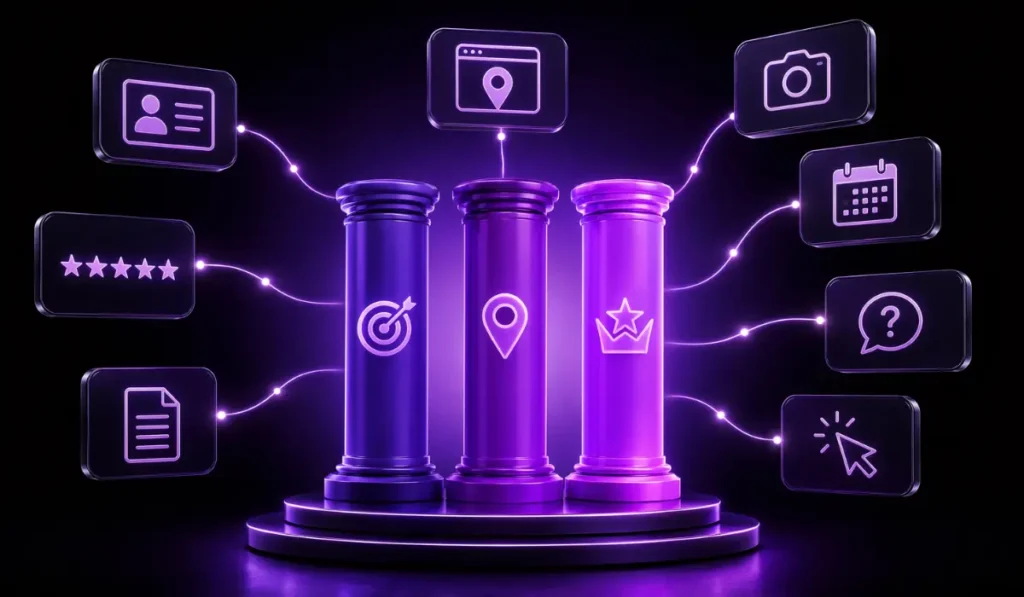
| Ranking Factor | What It Means | How to Improve |
| Relevance | How well your business matches the search | Categories, services, description, local content |
| Distance | How close your business is to the searcher | Accurate address and service areas |
| Prominence | How trusted and known your business appears | Reviews, citations, links, mentions, engagement |
Google Business Profile Optimization Checklist for 2026
Before chasing advanced tactics, make sure the basics are complete.
Use this Google Business Profile optimization checklist:
- Claim and verify your profile
- Use the correct business name
- Add accurate address or service areas
- Add the right phone number
- Add your website link
- Choose the best primary category
- Add useful secondary categories
- Write a clear business description
- Add services and products
- Update hours and holiday hours
- Add appointment or booking links
- Add business attributes
- Upload logo and cover image
- Add real photos and videos
- Publish Google Posts
- Add and monitor Q&A
- Ask for real customer reviews
- Respond to reviews
- Keep NAP details consistent across directories
A complete profile helps customers understand your business faster. It also gives Google clearer information about what you offer.
1. Complete and Verify Your Business Information
Your business information must be accurate and complete.
Small mistakes can create confusion for customers and search engines. This includes your name, address, phone number, website, hours, categories, and service areas.
Keep NAP Details Consistent
NAP means name, address, and phone number.
Your NAP should match across Google Business Profile, your website, Bing Places, Apple Maps, Yelp, local directories, and industry listings.
Example:
If your website says “123 Main Street,” avoid using “123 Main St.” in some directories and “123 Main St Suite B” in others unless that is your correct legal or mailing format.
Consistency helps build trust.
Update Hours and Holiday Hours
Wrong business hours can frustrate customers.
Update normal hours, holiday hours, seasonal hours, and temporary closures when needed.
If someone drives to your location and finds it closed, that can lead to bad reviews and lost trust.
Add Service Areas and Appointment Links
Service area businesses should clearly list the areas they serve.
This is useful for contractors, agencies, repair companies, cleaners, home service brands, and mobile businesses.
Add appointment links or booking links when possible. This makes it easier for users to take action from your profile.
2. Choose the Right Google Business Profile Categories
Categories are one of the strongest parts of Google Business Profile optimization.
They help Google understand what your business is.
Primary Category Matters Most
Your primary category should describe your main business as accurately as possible.
For example, a digital marketing agency should choose a category that matches its main service, not a random category with more search volume.
The right category helps you show up for the right searches.
Secondary Categories Support Related Services
Secondary categories can help explain other services your business offers.
For example, a marketing company may include categories related to website design, advertising, or internet marketing if those services are real and active.
Avoid Unrelated Categories
Do not add categories just because competitors use them.
Wrong categories can confuse Google and customers. Keep categories accurate.
3. Add Services, Products, and Business Description the Right Way
Your Google Business Profile should clearly explain what your business offers.
Services, products, and descriptions help Google and customers understand your work.
Use Natural Service Keywords
Use terms customers actually search for.
For example:
- HVAC repair
- Digital marketing services
- Emergency plumbing
- Hair salon services
- Roofing contractor
- SEO services
- Restaurant catering
The key is to use natural language. Do not stuff keywords into every sentence.
Write for Customers First
Your business description should be clear and helpful.
It should explain:
- What you do
- Who you help
- Where you serve
- What makes your business useful
- How customers can contact you
Avoid hype and repeated keywords.
Keep Services Updated
If you add, remove, or change services, update your profile.
A stale profile can lead to poor leads or confused customers.
4. Build a Real Review and Reputation System
Reviews are one of the strongest trust signals in local search.
They help customers decide if your business is worth calling. They also support prominence in local SEO.
Ask Happy Customers at the Right Time
The best time to ask for a review is after a good customer experience.
This may be after a completed job, a successful visit, a product delivery, or a positive support conversation.
Make the process simple. Send a direct review link when appropriate.
Respond to Every Review Professionally
Review responses show that your business is active and cares about customers.
For positive reviews, thank the customer and mention the service naturally if it fits.
For negative reviews, stay calm, respectful, and helpful. Do not argue in public. Offer a way to resolve the issue
Never Buy Fake Reviews
Fake reviews can hurt trust and may violate platform rules.
Your review strategy should focus on real customers and honest feedback.
Use Review Themes to Improve Service Pages
If customers often mention certain services, locations, or problems, use those insights.
They can help improve website content, service pages, FAQs, and social posts.
5. Add Photos, Videos, and Visual Trust Signals
Photos help customers see that your business is real, active, and professional.
They can also show your work, team, location, products, equipment, projects, or customer experience.
Upload Real Photos
Use real images of your:
- Team
- Office
- Storefront
- Products
- Projects
- Service vehicles
- Work process
- Before and after results, where allowed
Real photos are better than stock only images.
Keep Logo and Cover Image Professional
Your logo and cover image shape first impressions.
Use clear, branded visuals that match your website and social media style.
Add New Photos Regularly
Fresh photos show activity.
You do not need to upload dozens at once. A steady flow of useful, real images is better.
6. Use Google Posts and Updates Consistently
Google Posts let you share updates directly on your profile.
They can help customers see offers, events, services, news, and seasonal updates before they visit your website.
What to Post
Good post topics include:
- Special offers
- Events
- New services
- Product updates
- Seasonal messages
- Customer success stories
- Helpful tips
- Holiday hours
- Local announcements
Keep Posts Clear and Action Based
Each post should have a clear point.
Use simple copy, a useful image, and a call to action when needed.
7. Use Q&A to Answer Buyer Questions Before They Call
The Q&A section is easy to ignore, but it can help customers make faster decisions.
People may ask questions about pricing, service areas, parking, booking, emergency service, product availability, or business policies.
Add Common Questions
You can add common customer questions and answer them clearly.
Examples:
- Do you offer same day service?
- What areas do you serve?
- Do I need an appointment?
- Do you offer free estimates?
- What payment methods do you accept?
Monitor Customer Submitted Questions
Anyone can ask questions on some profiles.
Check Q&A often so answers stay accurate and helpful.
8. Build Local Citations and NAP Consistency
Your Google Business Profile does not stand alone.
Google can compare your business information across the web. This is why local citations matter.
Add Your Business to Trusted Directories
Useful listings may include:
Bing Places
Apple Maps
Yelp
Better Business Bureau
Chamber of Commerce
Industry directories
Local business directories
Fix Duplicate or Old Listings
Old addresses, wrong phone numbers, or duplicate listings can confuse customers.
Clean them up where possible.
Earn Local Mentions and Links
Local links can also support trust.
Examples include sponsorships, local news mentions, chamber listings, partner pages, and community organizations.
9. Connect Your GBP to a Strong Local Landing Page
Your website matters for Google Maps SEO.
Your Google Business Profile should link to a page that matches the main service and location.
Match the Page to the Main Service and Location
If you are a plumber in Dallas, your profile should not send users to a vague homepage if a strong Dallas plumbing page exists.
A good local landing page should explain:
- Main services
- Service area
- Contact details
- Reviews or trust signals
- Photos
- FAQs
- Clear call to action
Add Local Business Schema Where Useful
LocalBusiness schema can help search engines understand your business details.
Use it on the right pages and keep information accurate.
Add Internal Links and Conversion CTAs
Your landing page should make it easy to call, book, request a quote, or visit.
10. Track Calls, Clicks, Direction Requests, and Rankings
You cannot improve what you do not track.
Ranking is useful, but leads matter more.
Watch GBP Performance Insights
Track actions such as:
- Phone calls
- Website clicks
- Direction requests
- Profile views
- Messages
- Booking clicks
- Search terms
- Photo views
Track Website Traffic from GBP
Use tracking links when possible to see how much traffic comes from Google Business Profile.
This helps show whether profile optimization is helping the website.
Measure Leads, Not Vanity Metrics
Do not judge success only by views.
Better signs include calls, forms, booked appointments, walk ins, direction requests, and qualified leads.
Common Google Maps SEO Mistakes to Avoid
Many businesses hurt their Google Maps visibility without realizing it.
Avoid these common mistakes:
- Keyword stuffing the business name
- Choosing the wrong primary category
- Leaving services incomplete
- Forgetting holiday hours
- Ignoring reviews
- Buying fake reviews
- Using only stock photos
- Ignoring Q&A
- Having duplicate listings
- Using inconsistent NAP details
- Linking to a weak website page
- Having no local landing page
- Ignoring citations
- Tracking rankings from only one location
- Expecting one time setup to work forever
Google Maps SEO is ongoing. Your competitors are updating their profiles too.
How Benzify Helps U.S. Businesses Rank Higher on Google Maps
Benzify helps U.S. businesses improve Google Maps visibility through Google Business Profile optimization, local SEO, review strategy, content updates, citation support, and tracking.
The goal is not to promise a fixed ranking. The goal is to improve the signals that help your business become more relevant, trusted, active, and easier for local customers to choose.
Google Business Profile Audit
Benzify reviews your current profile, categories, services, photos, reviews, Q&A, posts, links, and local visibility gaps.
Review and Reputation Plan
Benzify helps build a review request and response process that supports trust and customer confidence.
Category and Service Optimization
Benzify helps choose better categories, improve service sections, and align profile content with real search intent.
Posts, Photos, and Updates
Benzify can help keep your profile active with useful updates, branded visuals, seasonal posts, service highlights, and fresh photos.
Local Landing Page and Website Optimization
Benzify can help connect your profile to stronger local landing pages that support calls, forms, bookings, and search visibility.
Citation Cleanup and Local SEO Support
Benzify can help improve local citation consistency and support your broader local SEO plan.
Monthly Reporting and Improvement
Benzify tracks profile actions, website clicks, calls, ranking movement, and lead signals so decisions are based on real performance.
Want your local business to show up more often on Google Maps?
Final Takeaway
Ranking higher on Google Maps in 2026 takes more than filling out a profile.
Your Google Business Profile, reviews, categories, services, photos, posts, Q&A, citations, website, and customer engagement all work together.
The goal is to prove your business is relevant, trusted, active, and useful for nearby customers.
If your profile has not been updated in months, start with the basics. Complete your information, improve your categories, ask for real reviews, respond to customers, add fresh photos, fix citations, and connect your GBP to a strong local landing page.
FAQs About Ranking Higher on Google Maps
How do I rank higher on Google Maps in 2026?
To rank higher on Google Maps, complete your Google Business Profile, choose accurate categories, add services, collect real reviews, respond to customers, add photos, post updates, build citations, and connect the profile to a strong local website page.
What are the main Google Maps ranking factors?
The main Google Maps ranking factors are relevance, distance, and prominence. Relevance means how well your business matches the search. Distance means how close you are to the searcher. Prominence means how trusted and known your business appears online.
What is Google Business Profile optimization?
Google Business Profile optimization is the process of improving your business listing with accurate information, categories, services, photos, posts, reviews, Q&A, website links, and local SEO signals.
Do reviews help Google Maps rankings?
Reviews can support Google Maps visibility and customer trust. Focus on steady real reviews, strong service quality, and professional responses. Do not buy fake reviews.
How often should I update my Google Business Profile?
Update your profile whenever business details change. For ongoing activity, add fresh photos, posts, offers, or service updates regularly so customers see that your business is active.
Can service area businesses rank on Google Maps?
Yes. Service area businesses can rank on Google Maps, but they need accurate service areas, strong categories, real reviews, local landing pages, and consistent business information.